Appearance
AI Live Stream | Key Features
TK Hunter's AI Live Stream module is designed for sellers aiming to cut host labor costs and run a 24/7 global "non-stop live stream" effortlessly across different time zones.
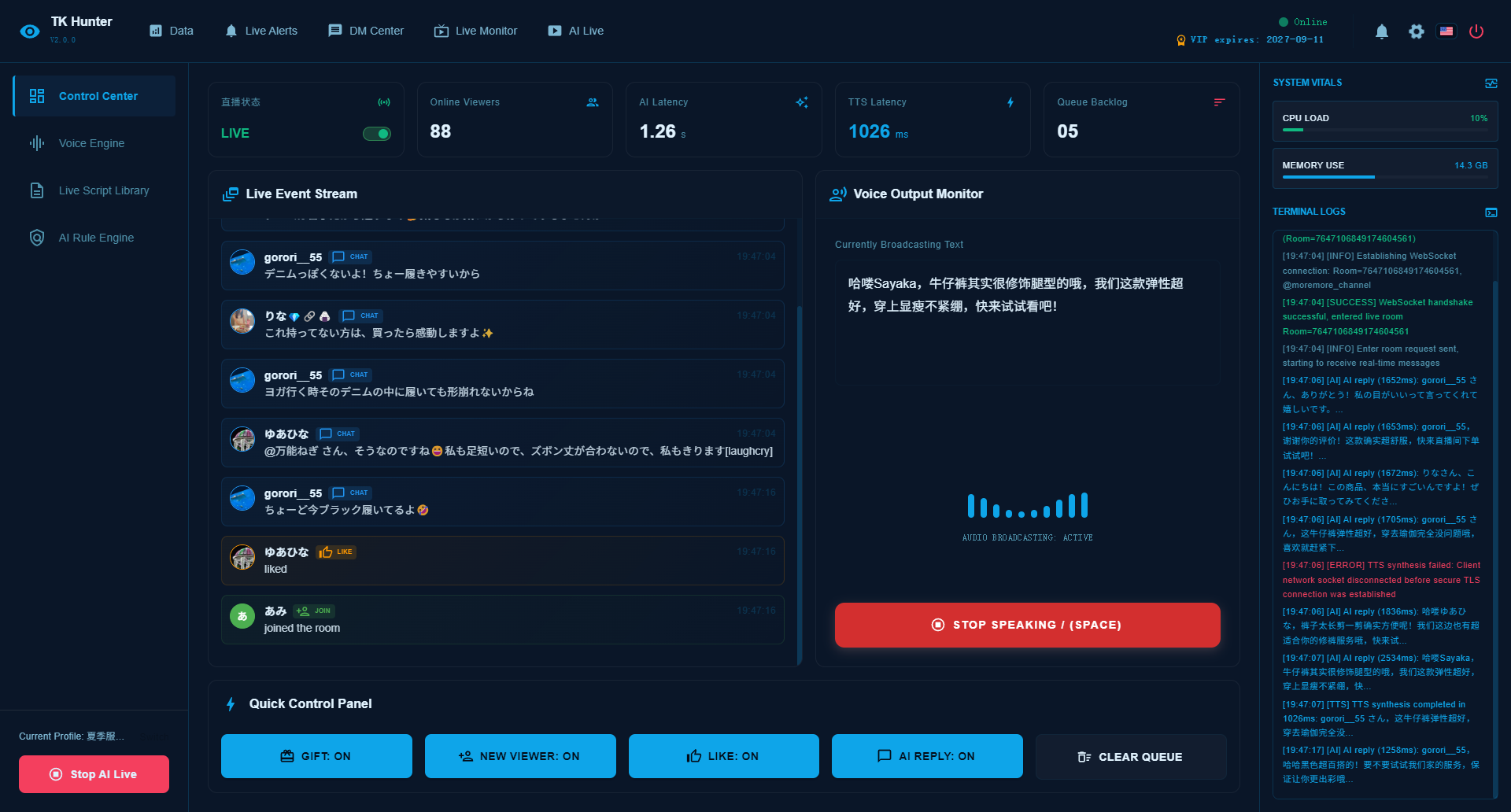
📷 UI Screenshot
Core Capabilities
1. AI Digital Host Explanation
- Stream with realistic AI digital avatars or pre-recorded scripts to run continuous sales loops.
- Eliminate the high cost and management overhead of hiring human hosts.
2. Smart Comments Moderator & Auto-Response
- Real-time interception and semantic parsing of comments in the live chat.
- E.g., when a viewer asks "how to buy", the system identifies the intent and triggers the buying guide within 2 seconds.
3. Dual-Channel Response (TTS Voice & Public Chat)
- TTS Voice: Compiles the configured answer into natural human voice speech spoken by the virtual host.
- Public Chat: Simultaneously uses Moderator helper bot accounts to reply in text directly in the public live chat.
- Double-pronged conversion strategy to maximize sales efficiency.
How to Get Started
- Log in to the client app and navigate to the "AI Live Console".
- Upload your live stream video/audio materials, or configure your digital avatar avatar parameters.
- Configure trigger rules under "Moderator Rules" by adding keywords (e.g., "price", "size", "how to buy") and mapping them to corresponding text replies and voice scripts.
- Connect moderator helper accounts to enable interactive text responses in the public live chat.
- Verify configurations and click "Start Live Stream" with a single click.